Introduction
CodeApps has been generally available since February 2026. Since then, Microsoft’s CodeApps build team has been iterating quickly, and one of the notable shifts has been pushing the npm based workflow as the replacement for the PAC CLI approach we were all used to.
In this article, the goal is simple: follow the official npm quickstart, document what actually happens and share honest feedback with the community and the support team. No polish, no assumptions, just what the terminal shows. Let’s dive in.
Prerequisites and Initial Setup
Prerequisites
The npm based workflow for CodeApps reduces the prerequisites to essentially two things compared to the PAC CLI:
- Power Platform environment with Code Apps enabled
- Node.js (LTS version) –https://nodejs.org/
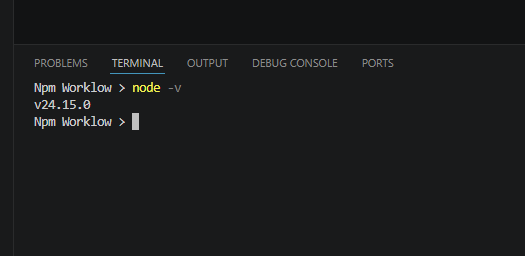
At the time of this testing, the Node.js version in use was v24.15.0:
CodeApps npm Commands That Matter
Before diving into project initialization, here are the commands provided by the new npm workflow for CodeApps:
- power-apps init: transforms your Vite template into a CodeApp project.
- power-apps run: starts a local development server.
- power-apps push: publishes a new version of the CodeApp to your environment.
- power-apps find-dataverse-api: adds a Dataverse action or function to your code app.
Getting the Vite template from the Repo
As we know, and I talked about in previous posts here, A CodeApps project is first and foremost a modern JavaScript/React project. Microsoft provides pre-configured templates hosted on their GitHub repository . To get the template project, run the following from your command line or the Visual Studio Code terminal :
>npx degit github:microsoft/PowerAppsCodeApps/templates/vite MyAppTutoNpm>cd MyAppTutoNpm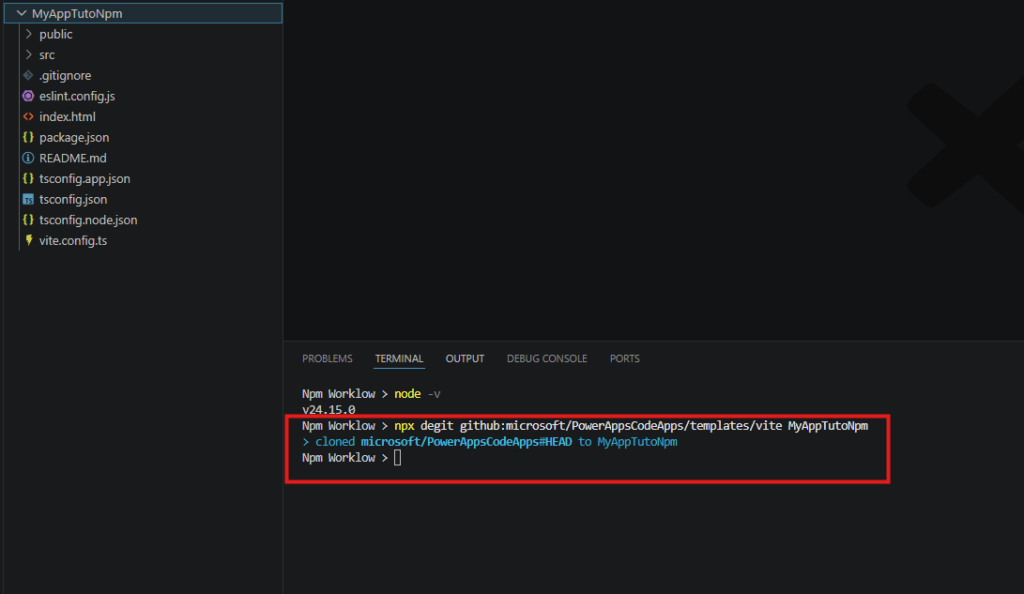
Nothing changed here compared to the PAC CLI workflow – this step works as expected.
Install dependencies
Now that we have the base template, the next step is to turn it into a full CodeApps project. But this requires first two steps to resolve missing dependencies:
Install Power Apps npm client library globally:
>npm install -g @microsoft/power-apps Then install all the dependencies that the template relies on:
>npm install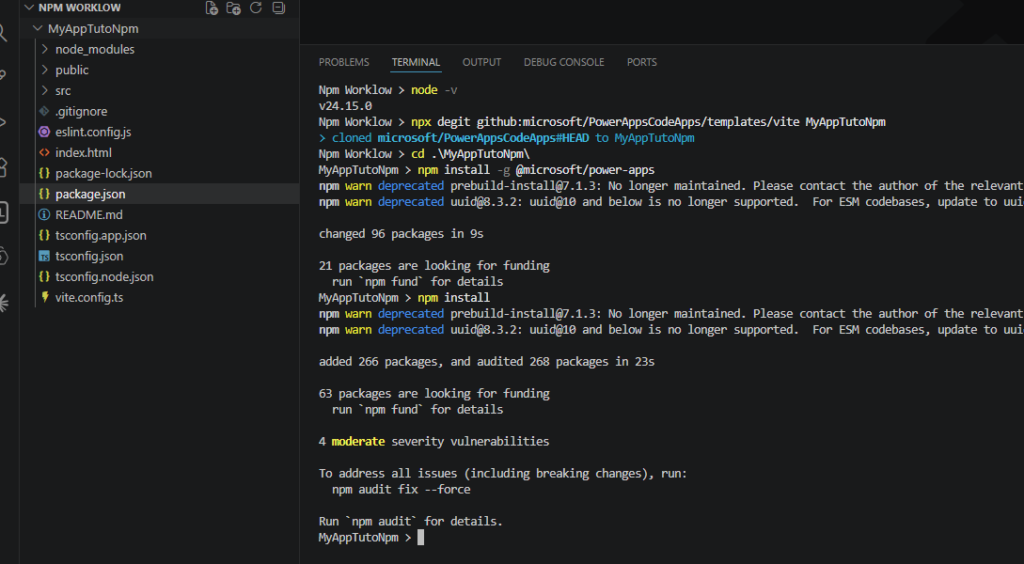
Project initialization : The bug
This is where things go sideways. To transform the Vite template into a CodeApps project using the npm workflow, the official doc tells you to run power-apps init. There are two ways to use it:
Option 1 – Interactive mode: The CLI prompts you for the required information (authentication, app name, environment):
>power-apps init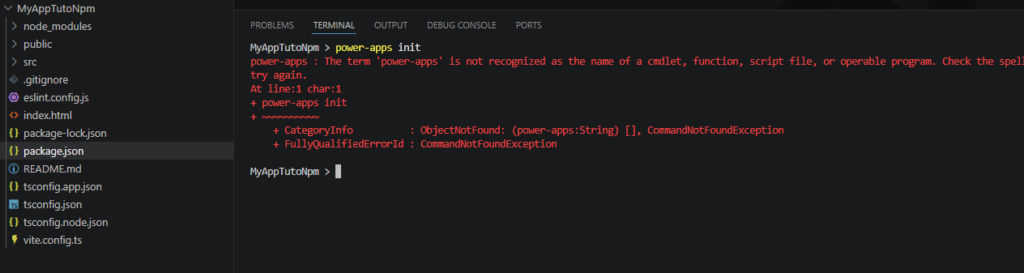
Option 2 – Direct options: You explicitly pass the app name and the environment ID you want to connect to:
>power-apps init --display-name "My App Tuto Npm" --environment-id <Your environment ID>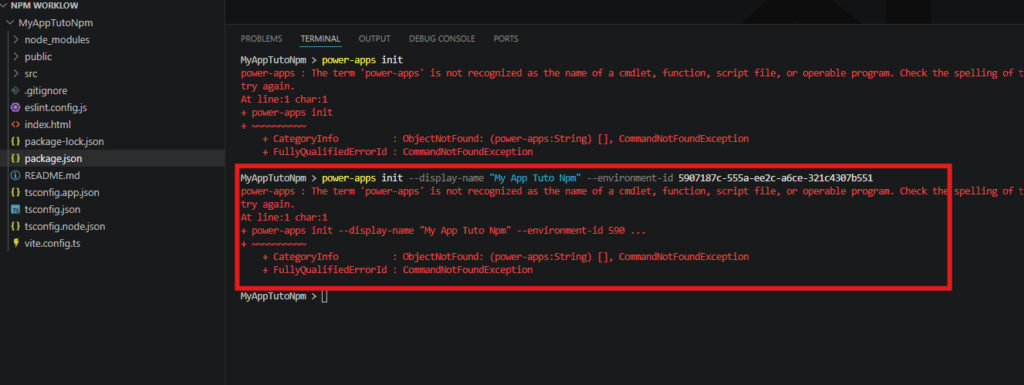
Note: for Option 2 to work, you must already have an active connection established via pac auth create.
To make sure it is not a Node.js version issue, the test was repeated after upgrading to the latest LTS version v24.18.0. The result was identical:
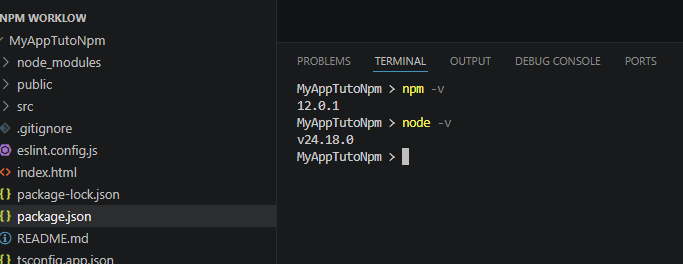
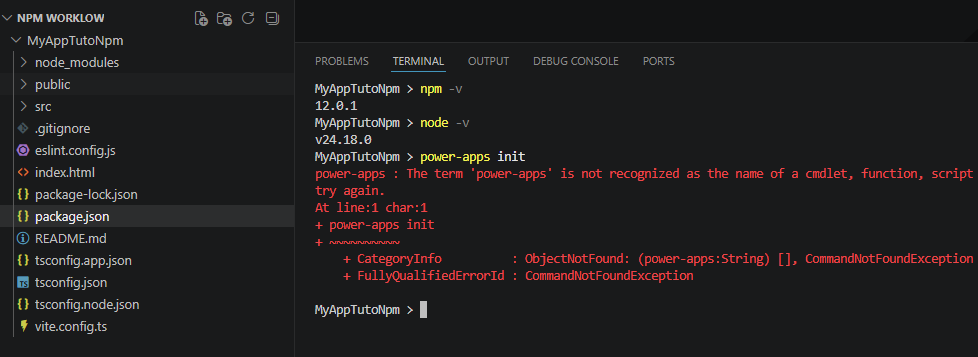
After some investigation, I discovered that these bugs had already been reported on the official GitHub repository:
Both are tagged as “product team investigating” as of the time of my writing.
npx power-apps push on Windows: Another Bug
Even if you manage to get past the init step, there is a second known issue waiting on Windows when you try to deploy with npx power-apps push.
The push command reports success and creates the app in the target environment, but opening the generated play URL returns an HTTP 403 error:
{ "error": { "code": "InvalidAppBlobRequest", "message": "The requested file is not associated with any known app." } }The root cause is a path separator handling bug in @microsoft/power-apps-actions (a transitive dependency of @microsoft/power-apps-cli). On Windows, files are uploaded using backslash paths while the app metadata uses forward slashes, so the player can never resolve the correct blob. The push appears successful, but the deployed app is effectively broken.
The issue is tracked here:
Project initialization : Workaround #1 – npx (simple, not sustainable)
The simplest workaround is to skip the global install entirely and use npx instead, which executes the package directly from the npm registry without a local installation:
>npx power-apps initThis bypasses the install scripts issue and gets power-apps init running without additional configuration. However, this approach has clear limitations: it downloads the package on every execution, does not pin a specific version, and is not suitable for CI/CD pipelines. Consider it a quick local dev workaround, not a production-ready solution.
Project initialization : Workaround #2 – PAC CLI
The good news is that the PAC CLI still works and provides a reliable workaround while the npm CLI is being fixed. Here is the path that actually works today:
Step 1: Authenticate to your environment
>pac auth create --url https://yourorg.crm4.dynamics.com/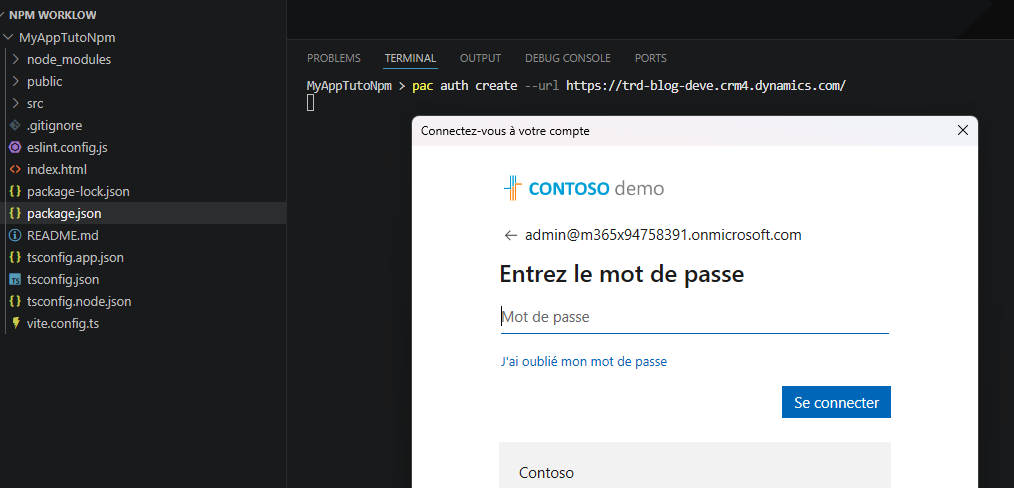
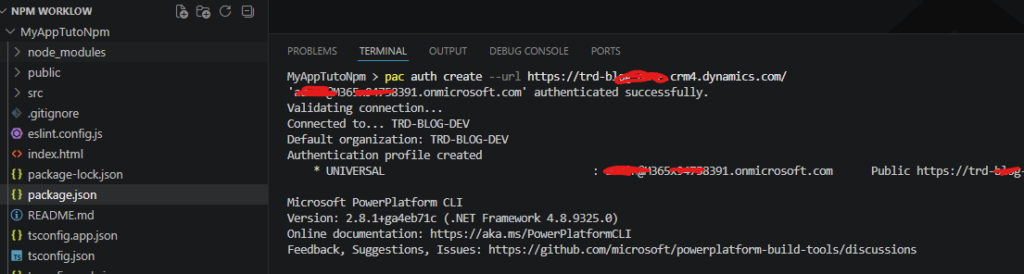
Step 2: Initialize the CodeApps project
>pac code init --displayName "My App Tuto Npm" 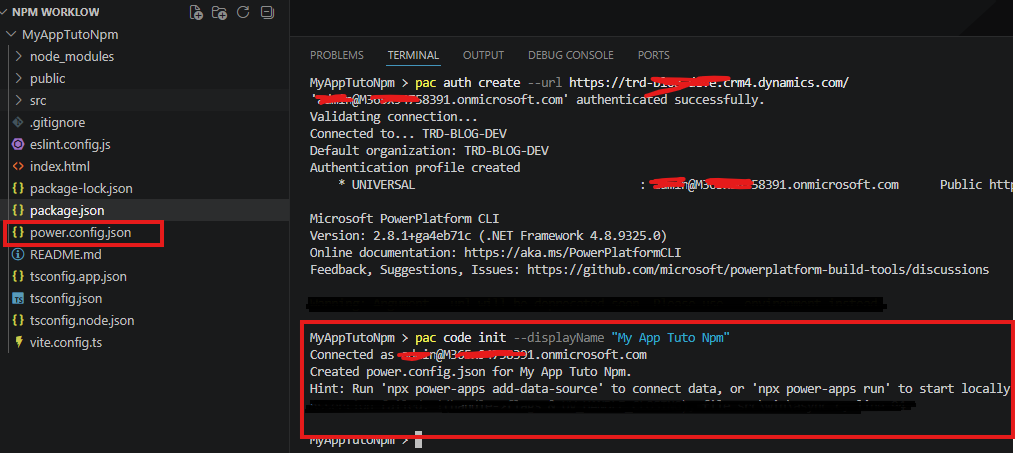
Step 3: Start your local development server
>npm run dev 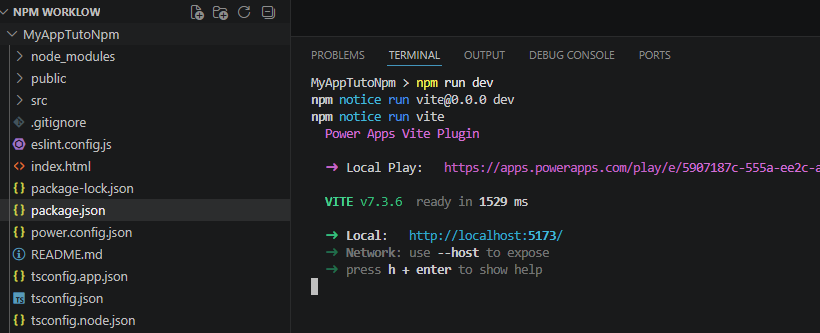
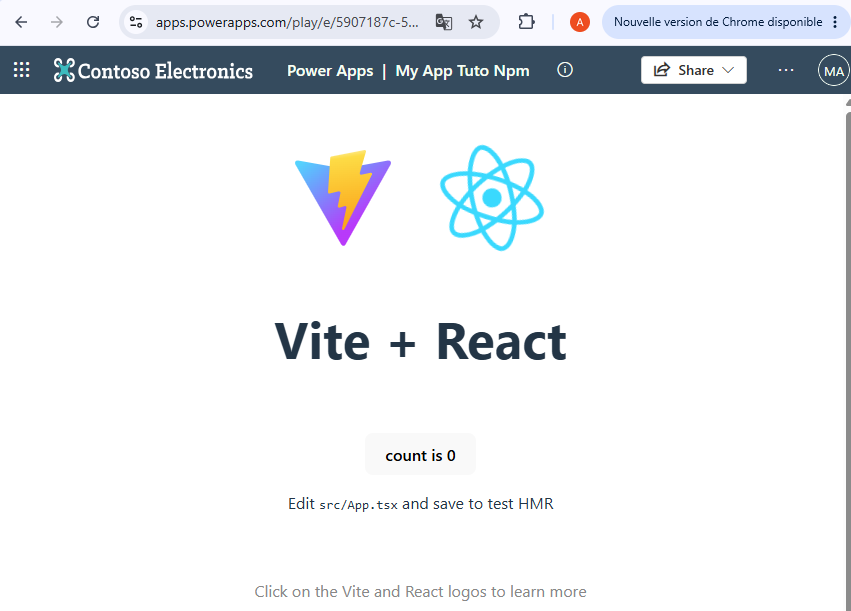
The app loads correctly in the browser via the local development server. From here, your standard Vite/React development workflow applies as usual.
What Actually Works Today
Well, we still have a stable PAC CLI and a reliable workaround, but what is really working today ? Here is a quick reference of the current state as of July 2026:
| Command | Status | Notes |
| npx degit (template) | Works | No issues |
| npm install | Works | Warnings only (deprecated deps) |
| npx power-apps init | Broken | Issues #300, #312 – product team investigating |
| npx power-apps push (Windows) | Broken | Issue #332 – Fix rolling out |
| pac code init (workaround) | Works | Reliable fallback today |
| npm run dev | Works | Local server loads correctly |
Conclusion
The npm based CLI for Power Apps CodeApps is a promising direction: fewer prerequisites, a more familiar workflow for web developers or advanced Power Platform developers, and a cleaner separation from the PAC CLI tool chain. The intent and strategy are aligned.
However, as of July 2026, two critical bugs block the npm based workflow on Windows: the init command fails to connect to any environment, and the push command silently uploads files to the wrong blob path. The PAC CLI workaround is functional and gets you to the same result, but it defeats the purpose of the npm-first approach.
Both bugs are tracked and acknowledged by the product team. This article will be updated once the fixes are released. In the meantime, keep an eye on the repository:
If you hit these bugs, drop a reaction or comment on the issues above – the more signal the product team gets, the faster the fixes land.